Enable Multiple Anchor Links in a Single Text Box
Post description:
Currently, when editing text in Noteey, users can apply only one hyperlink or anchor link within a text box. However, in many cases, it is necessary to add multiple individual links to different words or phrases in a single text box for advanced note-taking, referencing, and navigation.
Detailed request:
Allow users to insert several hyperlinks or anchor links in one text box, each linked to a different destination.
Each link should be independently editable and styled.
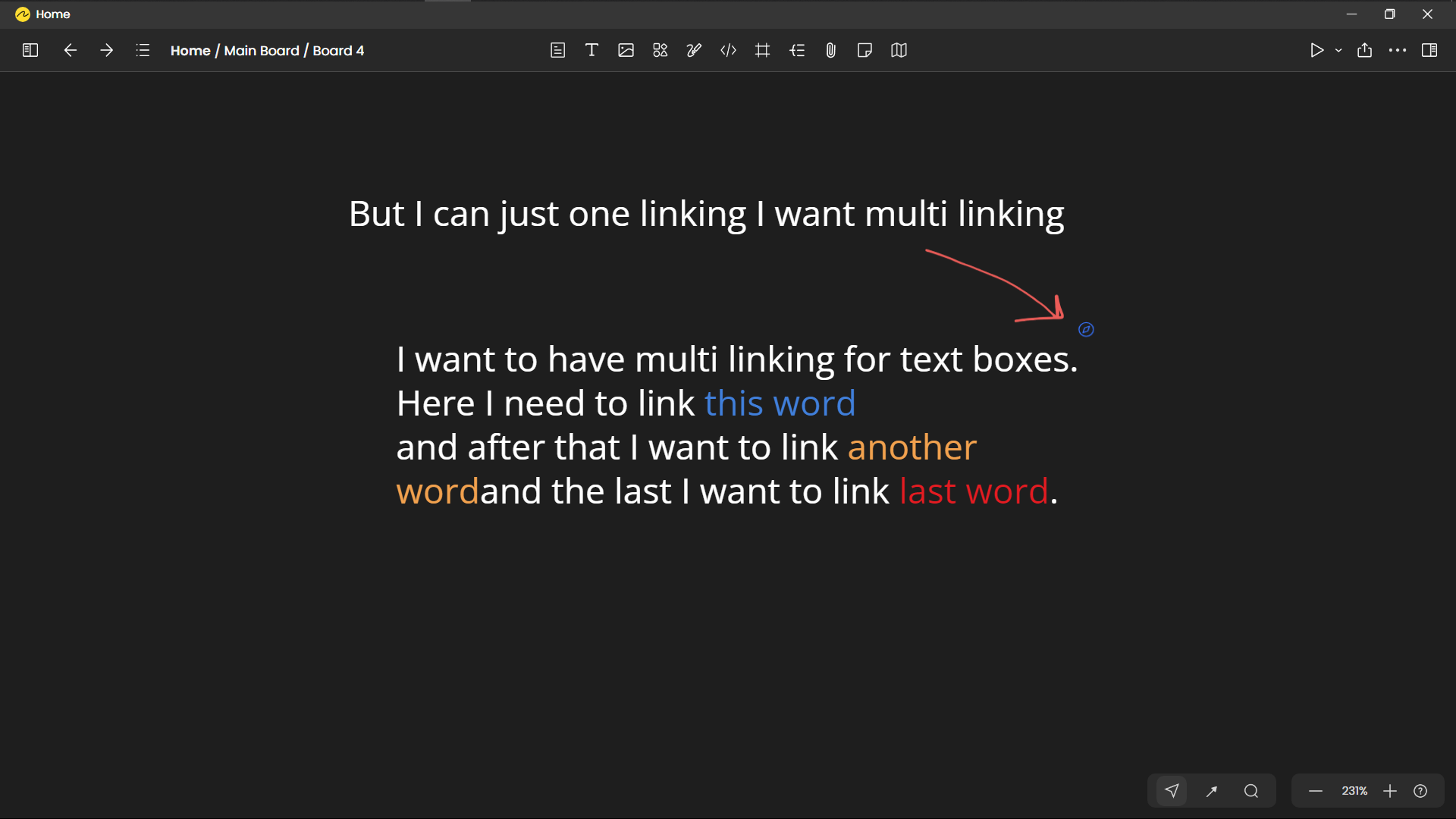
Example workflow: I write a sentence and want to link “[this word]” to one page, “another word” to another object, and “last word” to a third destination—all in the same text box.
The current limitation prevents efficient referencing, especially in technical documentation, knowledge bases, or mind maps.
Please see the attached image: it demonstrates the need for multi-linking. Each colored word is an intended hyperlink.
Why this feature is important:
Enables richer, more flexible cross-referencing within notes and boards.
Aligns Noteey with industry-standard editors that already support multiple links per text field.
Improves the knowledge management workflow, especially for users who rely on precise documentation and networked thinking.
Essential for technical, research, and knowledge-centric users.
Attachment:
Log in to comment and vote
Comments1
Alex Lau
Oct 5, 2025
Currently you can use Sticky notes as a workaournd, because it has a more powerful rich text editor similiar with card. We will evaluate how to align the rich text capabilities with sticky notes